
How to Pay Your Internet Bill ?

You can easily pay your monthly internet bill by sending money through mobile banking.
Please follow the instructions carefully to ensure successful payment.

Quick Pay

Pay your internet bill instantly using our secure payment portal. Simply enter your Customer ID or Registered Mobile Number and proceed to payment.

Pay via QR Code - bKash, Rocket, Upay, MasterCard, Visa Card and other payment methods.

Login to your bKash / Rocket / Upay / Card account

আপনার বিকাশ / রকেট / উপায় / কার্ড অ্যাকাউন্টে লগইন করুন।

Tap on "Scan QR" option

"কিউআর স্ক্যান" অপশনে ট্যাপ করুন।

Scan the QR Code from the right side

ডান পাশের কিউআর কোডটি স্ক্যান করুন।

Enter your bill amount

আপনার বিলের টাকার পরিমাণ লিখুন।

In reference, write your Customer ID (if no option, go to next step)

রেফারেন্সের জায়গায় আপনার কাস্টমার আইডি লিখুন (অপশন না থাকলে পরের ধাপে যান)।

Confirm the transaction using your PIN

আপনার পিন (PIN) নম্বর দিয়ে লেনদেনটি সম্পন্ন করুন।
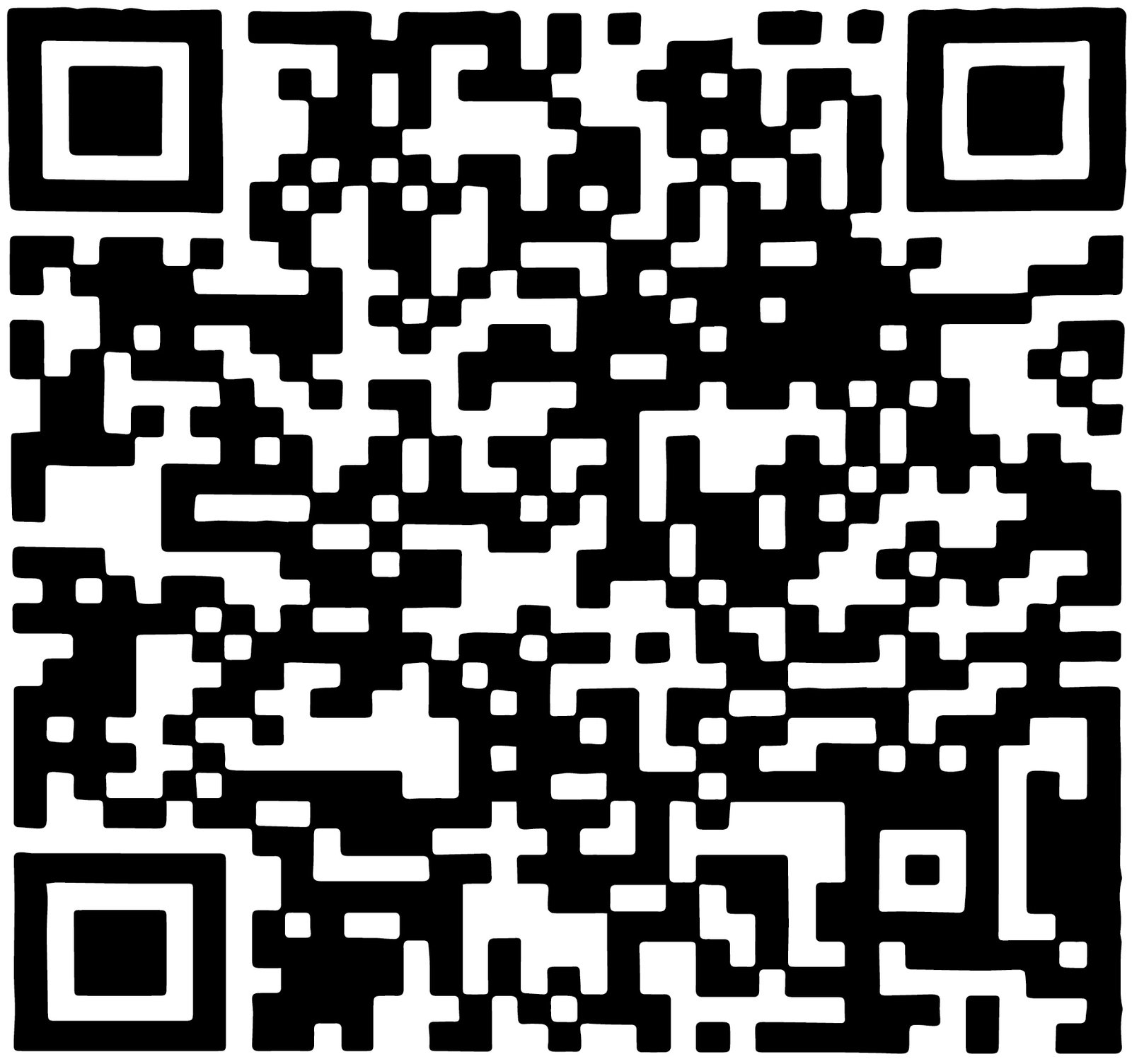
Payment QR Code

Scan to Pay - Rahmi Online

Send Money through Nagad

Open your Nagad app or dial *167#

আপনার নগদ অ্যাপ ওপেন করুন অথবা *১৬৭# ডায়াল করুন।

Select "Send Money" option

"সেন্ড মানি" অপশনটি সিলেক্ট করুন।

Enter our Nagad number: 01795779533

আমাদের নগদ নম্বরটি দিন: ০১৭৯৫৭৭৯৫৩৩

Enter your bill amount

আপনার বিলের টাকার পরিমাণ লিখুন।

In reference, type your Customer ID

রেফারেন্স হিসেবে আপনার কাস্টমার আইডি লিখুন।

Complete the payment with your PIN

আপনার পিন (PIN) নম্বর দিয়ে পেমেন্ট সম্পন্ন করুন।

Thank you for your payment.
Your internet connection will be activated within 5 minutes after successful payment. If there is any delay, please contact our support team.

Pay via Bank Transfer

IFIC Bank PLC

Pay with your IFIC bank account

Account Name: Rahmi Online
Account Number: 0230199515811
Routing no: 120700251
Branch: Chapai Nawabganj Branch.

Want to pay with Master/Visa card?

! Please tick this box if you want to proceed.